

Standard operating procedure software stores your SOPs in one controlled place, tracks every version, and proves who read and approved each procedure. For most UAE teams, the right standard operating procedure software replaces binders and shared folders with live procedures that link to daily checks. Writing good procedures is still the first job, and our SOP development service covers that side. This guide covers the next step. It lists the requirements that matter when you choose a digital SOP platform, so your procedures stay current, reach the right people, and actually shape the work.
Key Takeaways
- Good standard operating procedure software controls versions, access and approvals, so staff only ever see the current procedure.
- Sign-off and acknowledgement records show who has read each SOP, which supports audits and onboarding.
- SOP development comes first. Software only helps when procedures are clear, owned and linked to real inspections.
Why Binders and Shared Folders Stop Working
Paper binders and shared folders fail for one simple reason. Nobody can be sure which copy is current. When procedures change, old printouts stay on the shelf and old files stay in email threads. Standard operating procedure software fixes this by keeping one approved version and retiring the rest automatically.
The problems grow with the business. A second site opens and copies the procedures locally. A supervisor edits a step to suit his team. Months later, two sites do the same task in two different ways, and neither matches the document the quality manager signed.
Language adds another layer in the UAE. Many teams work across several languages, and staff may need the same procedure in more than one. Keeping translated copies aligned by hand is slow and error prone, so check how each platform links translations to the master version.
Audits expose the gap. An auditor asks who approved a change, when staff were told, and whether they were trained. With binders, the answers sit in memory or in scattered emails. A document management system solves storage, but SOPs need more than storage. They need ownership, review dates and proof of use. That is the gap standard operating procedure software should close.
Core Requirements: Version Control, Access and Approvals
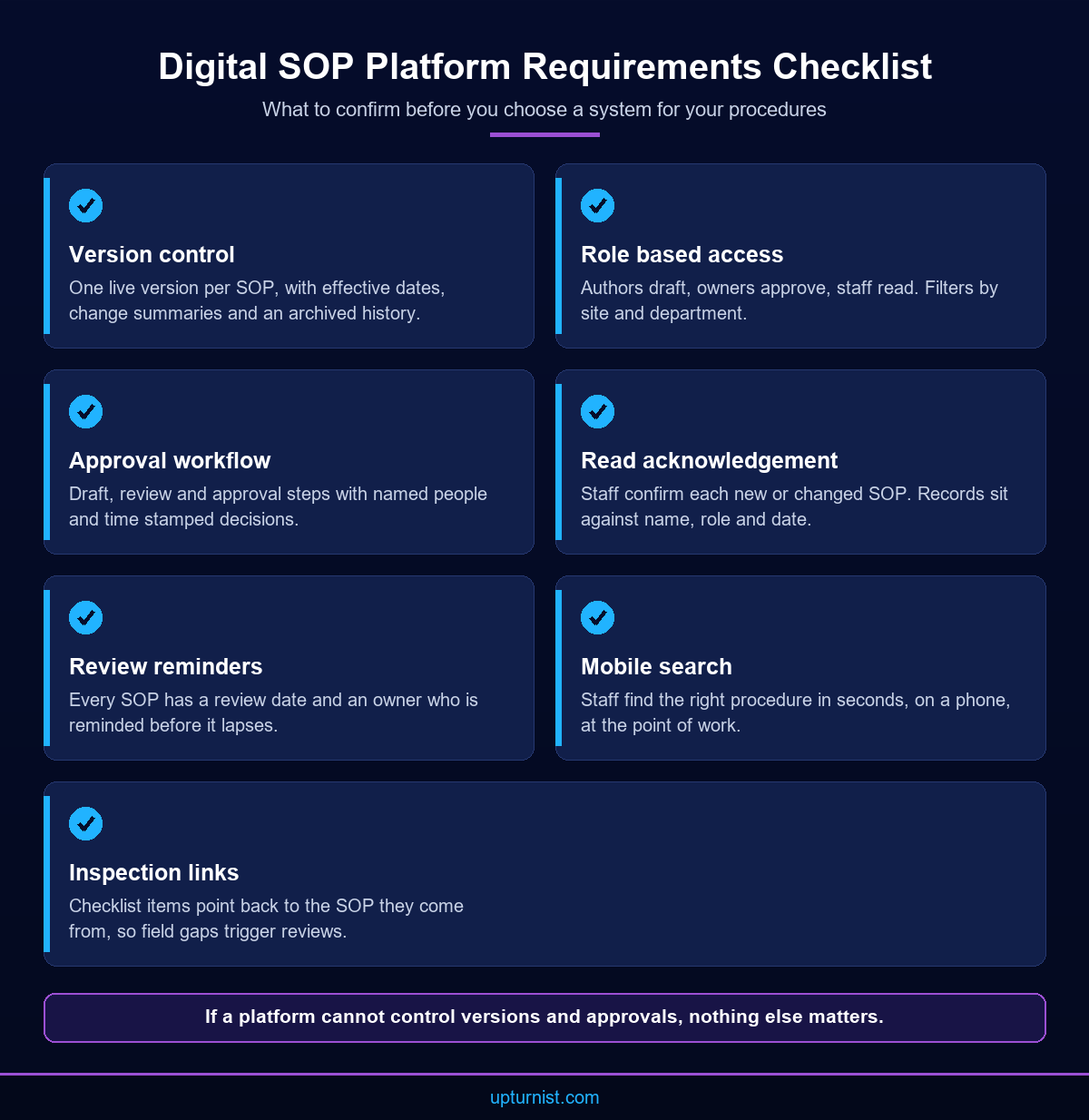
Start your requirements list with control. Your standard operating procedure software must hold one live version of each SOP and keep a full history of past versions. It must limit who can edit and route every change through review and approval. If a platform cannot do these things well, nothing else matters.
- Version control. Each SOP has a version number, an effective date and a change summary. Old versions stay archived and readable, but never appear as current.
- Role based access. Authors draft, owners approve and staff read. Site and department filters show people only the procedures that apply to them.
- Approval workflow. A change moves from draft to review to approval, with named people at each step. The system records each decision with a time stamp.
- Review reminders. Every SOP carries a review date. The owner gets a reminder before it lapses, so documents do not quietly go stale.
- Search and mobile access. Staff find a procedure in seconds, on a phone, at the point of work.
Ask each shortlisted option to show these features using one of your own SOPs. A live demo on your own content reveals far more than a feature sheet.
Avoid over-buying at this stage. Some platforms bundle training courses, chat and file storage for the whole company. Those extras can help, but they add cost and complexity. Your first test of any standard operating procedure software is whether it controls the core lifecycle of a procedure cleanly.
Sign-off, Acknowledgement and Training Records
Publishing a procedure is not the same as people following it. Good standard operating procedure software asks staff to confirm they have read each new or changed SOP. It keeps that record against their name, role and date. Managers can then spot gaps before an audit or an incident does.
Look for three things here. First, targeted acknowledgement. When a procedure changes, only the people it affects should be asked to sign, not the whole company. Second, a short quiz or supervisor check for high risk tasks, where reading alone is not enough. Third, reports by team and site that show who is still outstanding. Keep these reports simple. A manager should see, on one screen, which procedures changed this month and who has not yet confirmed them.
These records also speed up onboarding. A new hire gets a reading list built from their role. Their supervisor sees progress without chasing paper forms. Management system standards such as ISO 9001 expect organisations to control documented information and show competence. Clean acknowledgement records make that evidence easy to produce. The software helps you build the system. It does not replace the work of running it.
Linking SOPs to Inspections and Daily Work
The strongest reason to adopt standard operating procedure software is the link to daily work. When a procedure connects to the checklist or form that applies it, staff follow the current steps by default. A gap found in the field can then trigger a review of the SOP itself, which closes the loop.
In practice, each checklist item can point back to the procedure it comes from. An inspector who marks a step as failed can open the SOP on the spot. A repeated failure then flags the procedure owner, who decides whether the fix is training or a better procedure. This is where standard operating procedure software earns its cost, because procedures stop being reference documents and become part of the work.
Field teams also need offline access. Sites with weak signal should still open procedures and complete checklists, then sync when the connection returns.
Upturnist applied this pattern in a quality and ISO compliance project for an oil and gas company. Inspectors used digital checklists aligned with ISO requirements. The platform tracked corrective actions and kept complete audit trails. The same thinking sits behind our digital SOP and inspection solutions, which cover controlled access, approvals, version management and employee acknowledgement. Ask any option whether it can share data with your inspection tools, or whether SOPs will sit in a separate silo.
How to Choose and Roll Out Standard Operating Procedure Software
Choose standard operating procedure software the way you would choose any business system. Begin with your processes and users, not the feature list. Then test a short list of options on your own SOPs, check integration and support, and plan the rollout in small, controlled stages.
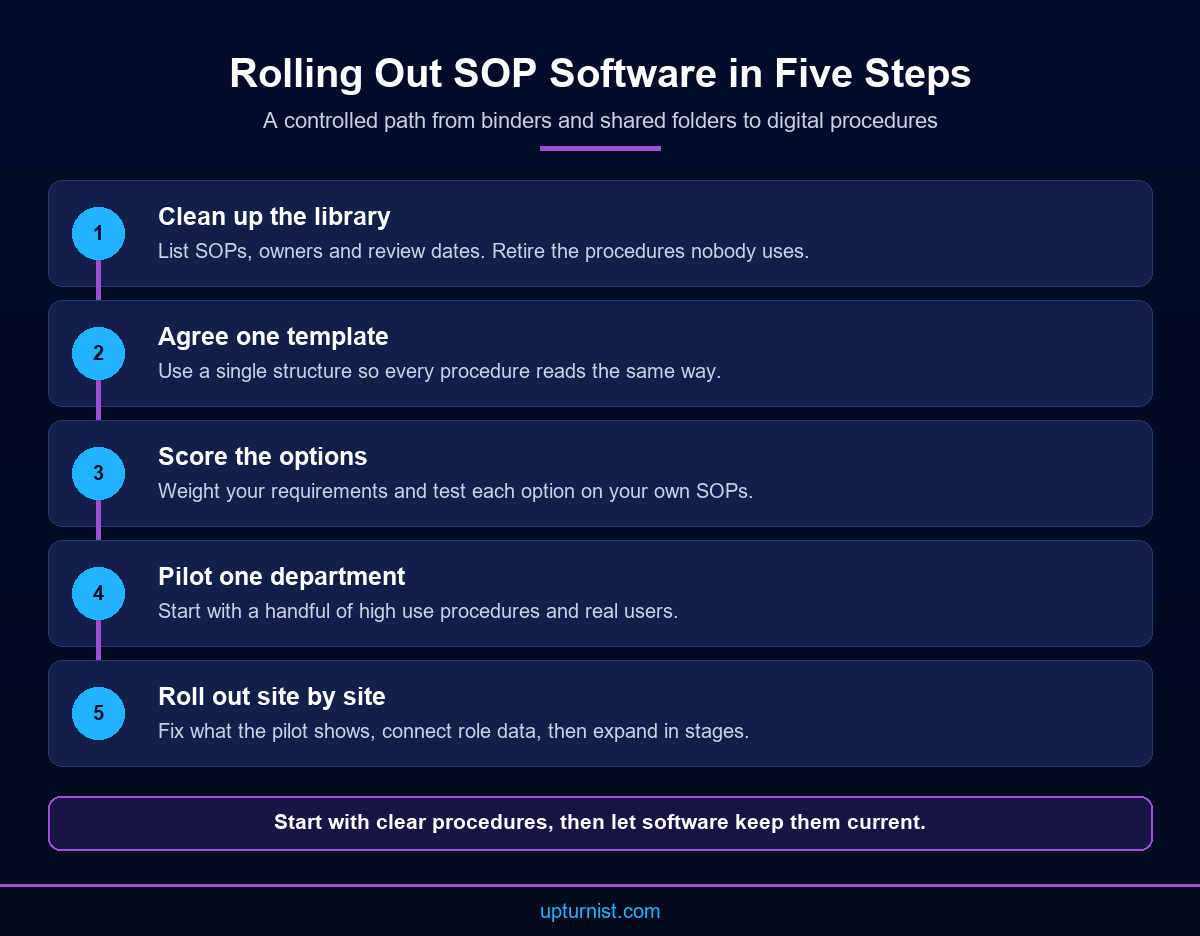
A practical sequence looks like this:
- List your SOPs, owners and review dates, and retire the ones nobody uses.
- Agree on a single template, so every procedure reads the same way.
- Score each option against your requirements, weighted by what matters most.
- Run a pilot with one department and a handful of high use SOPs.
- Fix what the pilot shows, then roll out site by site.
Integration deserves its own check. If your HR records, ERP or inspection apps already hold role and site data, the SOP platform should read it. Admins should not retype it. Our digital transformation services cover this kind of process automation and systems integration.
Finally, ask practical questions about support and data. Who fixes problems, and how fast? Can you export every SOP and its history if you change systems later? Where is the data hosted? Clear answers here protect you long after the contract is signed.
Conclusion
Binders and shared folders work when teams are small. As you add sites, staff and audits, they stop scaling. The right standard operating procedure software gives you one current version of each SOP and clear approvals. It also gives you proof that people read the changes, and a live link to the inspections that apply them. Start with clear procedures, define your requirements, and test options on your own content before you commit. If you want help defining requirements or digitising your SOPs, talk to our consultants about a business first, implementation focused approach.
Frequently Asked Questions
What is standard operating procedure software?
It is a system that stores, controls and distributes your SOPs. It manages versions, approvals, access and read receipts in one place, so staff always see the current procedure and managers can prove who approved and read each change.
Is SOP development different from SOP software?
Yes. SOP development is the work of mapping processes and writing clear procedures. Software stores and controls those procedures once they exist. Poorly written SOPs stay poor in any system, so most teams fix the content before they digitise it.
Which features matter most in a digital SOP platform?
Version control, role based access, approval workflows and read acknowledgement come first. After those, look at review reminders, mobile search, reporting by site and team, and the ability to link procedures to inspections and checklists.
Can digital SOPs help with ISO audits?
They can make audits easier. Auditors often ask who approved a change, when staff were informed and whether they were trained. A digital platform keeps those records with time stamps, so you can retrieve evidence quickly instead of searching binders.
How long does it take to move SOPs from binders to software?
It depends on how many procedures you have and how current they are. Most of the effort goes into cleaning up content, agreeing a template and assigning owners. A pilot in one department shows the real pace before a wider rollout.
Should SOPs link to inspection checklists?
Yes, where possible. When each checklist item points to its source procedure, inspectors follow the current steps and repeated failures flag the SOP owner. Our field operations automation solutions apply this approach to mobile inspections across sites.
Who should own each SOP?
Each procedure needs one named owner, usually the manager of the process it describes. The owner approves changes, answers questions and reviews the SOP on schedule. Shared ownership tends to mean no ownership, and documents then drift out of date.
How do I compare standard operating procedure software options fairly?
Write your requirements first and weight them by importance. Then ask each shortlisted option to demonstrate them using your own SOPs, not sample content. Score each demo against the same list, and check integration, support and running cost.
Do small businesses need SOP software?
Not always. A small team with a few stable procedures can manage with controlled shared files. Software becomes worth it when you add sites, shifts or audits, or when procedures change often. Our business transformation consultants can help you judge.