
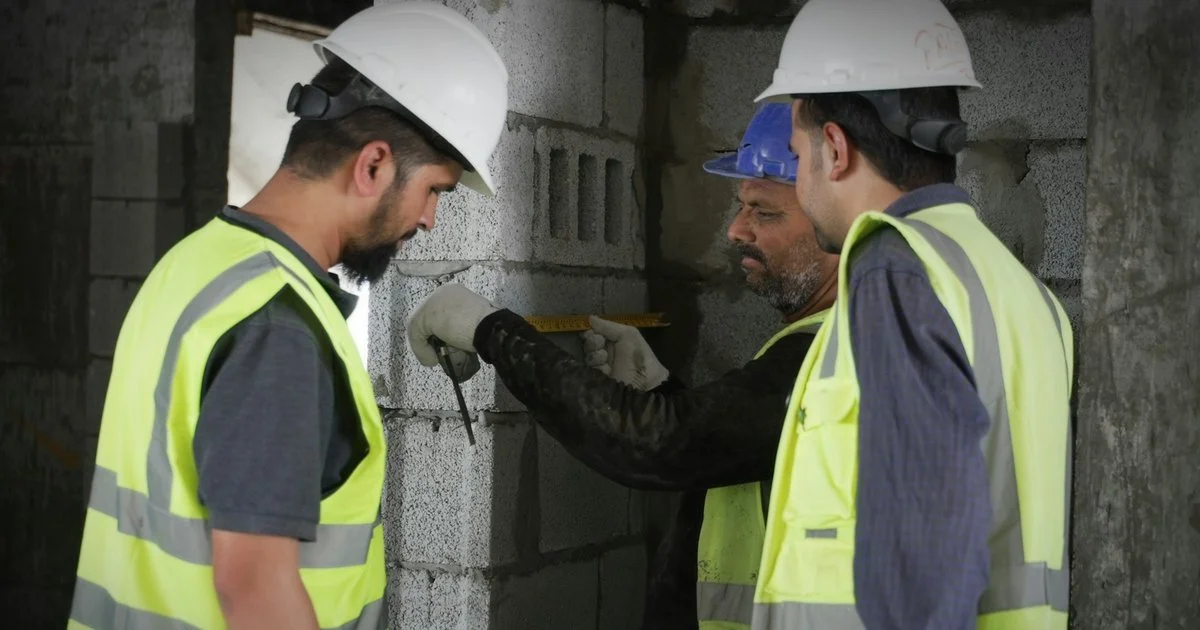
Site inspection software replaces paper checklists with mobile forms that inspectors complete on a phone or tablet. Good site inspection software works offline, captures photos and GPS location, escalates problems automatically and produces reports without retyping. This guide is a buyer’s checklist of the features that matter most for field teams.
Whether you inspect construction sites, facilities, plants or retail branches, the same questions apply. At Upturnist, we design and implement field inspection systems with a business first approach. Use the checklist below to compare options on what your inspectors actually need, not on the longest feature list.
Key Takeaways
- Field capture comes first: offline use, mandatory photos, GPS location and time stamps make every record reliable.
- Workflow features such as escalation, sign-off and corrective action tracking decide whether problems actually get fixed.
- Reporting, integration and easy checklist changes keep the system useful long after go live.
Why Paper Checklists Hold Field Teams Back
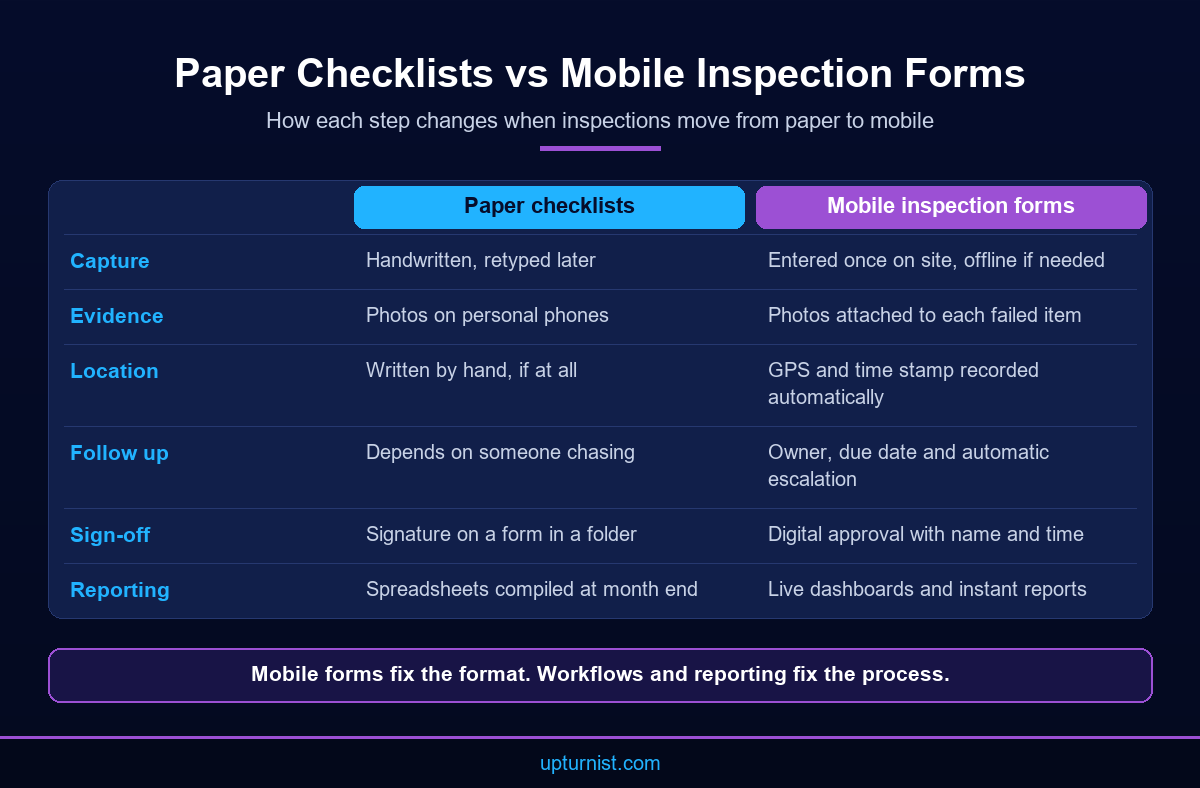
Paper checklists are cheap and familiar, but they create delays at every step. Forms are filled in by hand, carried back to the office and retyped into spreadsheets. Photos sit on personal phones. Problems found on site wait days before anyone acts. Site inspection software removes these handovers so findings reach the right people while they still matter.
A checklist is a simple and proven tool. A checklist is a job aid used in repetitive tasks to reduce failure by compensating for the limits of human memory and attention. The problem is not the checklist itself. It is the paper it sits on, and everything that happens after the inspector signs it.
Paper also hides the bigger picture. When forms live in folders at different sites, nobody can see which issues are still open or which faults keep coming back. Managers make decisions on information that is days or weeks old. Different sites slowly drift into different versions of the same form.
Site inspection software also changes who sees the data. A finding logged in the morning can reach the site manager, the safety lead and head office before lunch. That speed matters most for the problems that cannot wait.
Moving to mobile forms fixes the format, but only the right features fix the process. Before you look at products, write down how inspections run today and where they break. If you would like a second view on that map, speak with our consultants.
Field Capture Features: Offline Use, Photos and GPS
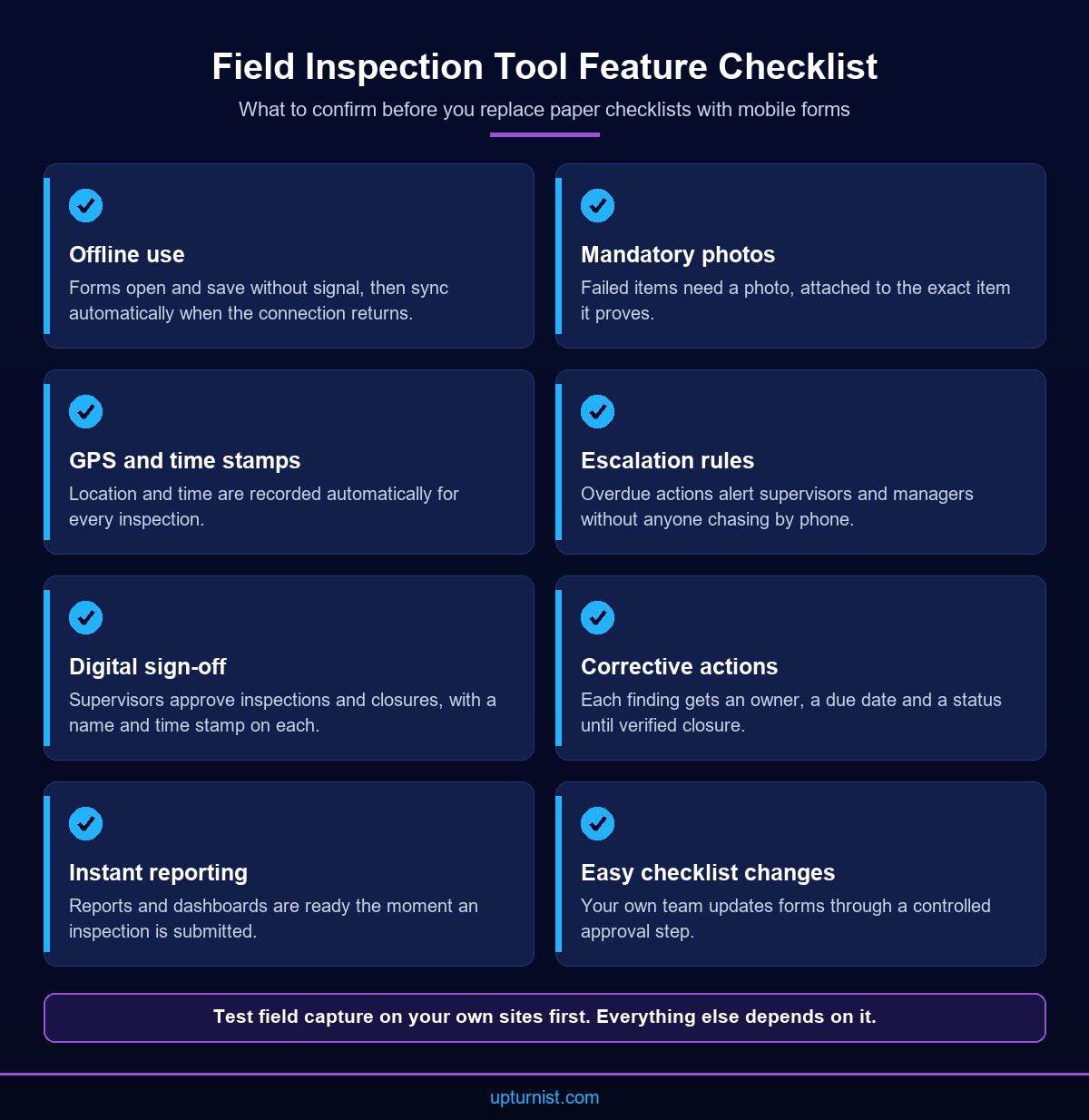
Field capture is where site inspection software earns trust. Inspectors must be able to complete forms without signal, attach photos to each finding, and record where and when the inspection happened. If any of these fail on site, inspectors return to paper and the project stalls. Test them on your own sites before anything else.
Use this list when you compare options:
- Offline use. Forms open and save without a connection, then sync automatically when signal returns.
- Mandatory photos. Failed items cannot be submitted without a photo, and photos attach to the item they prove.
- GPS and time stamps. Each inspection records location and time automatically, so nobody has to type them.
- Simple question types. Yes or no, pass or fail, numbers, dropdowns and short notes, with a clear pass standard for each.
- Conditional questions. Follow up questions appear only when an item fails, which keeps forms short.
- Easy checklist changes. Your own team can update a form through a controlled approval step, without a developer.
Location data deserves a closer look. Geotagging adds geographical identification metadata, usually latitude and longitude, to media such as photographs. In site inspection software, it confirms that a photo was taken where the inspector says it was.
The same capture features apply beyond inspections. In our signboard project tracking system for a UAE municipality, contractors used mobile apps to record work on more than 20,000 signboards. They captured status, photographs, GPS locations and completion details directly from the field.
Usability is the last capture test. Inspectors often work in heat, noise and protective gloves, so screens need large buttons and short forms. If a form takes longer than paper, inspectors will find ways around it. The best site inspection software feels faster than a clipboard from the first day. To test this with your own inspectors, talk through your inspection workflow with us.
Workflow Features: Escalation, Sign-off and Corrective Actions
Capturing a finding is only half the job. Site inspection software should route each finding to an owner, set a due date and escalate automatically when the deadline passes. Supervisors should sign off inspections and closures digitally. Without these workflow features, a mobile form is just a faster way to fill a filing cabinet.
Check that your site inspection software can turn each failed item into a corrective action with an owner, a due date and a status. Severity grades should set how fast the owner must respond. Reminders and escalation should run on rules, so no one has to chase updates by phone. Ask to see the full path from finding to verified closure.
Sign-off matters for accountability. A supervisor should review and approve each inspection, and the system should record every approval with a name and time stamp. For serious findings, closure should need a second check, usually with a photo of the fix. That record also becomes your evidence for audits and client reviews.
Industry needs differ, so test the workflow on your own scenarios. A fuel network, for example, needs an HSE inspection app for fuel stations that routes findings through approval and escalation workflows and tracks corrective actions until closure. A construction firm may care more about snag lists and subcontractor sign-off. Write these scenarios down before any demo, so every option is tested on the same cases.
Reporting, Integration and How to Shortlist
Reporting turns inspection data into decisions. Site inspection software should produce reports instantly, show open issues by site and severity, and keep a full history for audits. It should also connect to the systems you already use. Then shortlist two or three options and pilot them on real sites before you sign a contract.
Look for site inspection software with dashboards that answer simple questions. Which inspections are overdue? Which sites have the most open findings? Which faults keep recurring? Reports should be ready the moment an inspection is submitted, in a format your managers and clients can read without help.
Integration avoids double entry. If your sites, assets and staff already live in an ERP or asset register, the inspection tool should read that data rather than copy it by hand. Our digital transformation services cover this kind of systems integration and business process automation.
Ask practical questions about data and support too. Can you export every record if you change systems later? Where is the data hosted, and who helps when an inspector is stuck on site? Clear answers protect you long after you buy site inspection software.
Then shortlist with discipline. Score each option against your own checklist, weighted by what matters most. Run a pilot at a few sites with real inspectors, and compare the results with your paper process. An HSE inspection app for fuel stations and a tool for building handovers can look alike in a demo, yet behave very differently on site. Our field operations automation solutions follow this pilot first approach for site inspection systems and digital forms.
Conclusion
Paper checklists slow every step between the inspection and the fix. The right site inspection software works offline, captures photos and GPS location, escalates findings and records every sign-off. It also gives managers live reports and connects to the systems you already run. Upturnist helps teams across the UAE design inspection processes and implement the systems that support them. Choose on your own checklist, test on real sites and roll out in stages. Whenever you want a practical next step, arrange a call with our team to review your current inspection forms.
Frequently Asked Questions
What is site inspection software?
It is a mobile and web system that replaces paper inspection checklists. Inspectors complete digital forms on site, attach photos and location data, and submit them instantly. Findings then route to owners as tracked actions, and managers see results on live dashboards.
Which features matter most when choosing an inspection app?
Offline use, mandatory photos, GPS and time stamps come first. After those, check corrective action workflows with escalation, digital sign-off, instant reports, integration with existing systems and how easily your own team can change a checklist.
What should an HSE inspection app for fuel stations include?
It should include standard safety checklists, photo evidence, GPS location and real-time submission. It should also connect to approval and escalation workflows, so every finding is assigned, tracked and closed, and dashboards show compliance across all stations.
Does inspection software work without internet?
Good options do. Forms should open and save offline, including photos, and sync automatically when the connection returns. Test this on your own sites with weak signal, because offline behaviour often differs from what a demo in the office shows.
Why use GPS in site inspections?
GPS records where the inspection took place, which confirms the inspector was on site. Combined with time stamps and photos, it makes records harder to dispute and lets managers see on a map where open issues cluster across locations.
Can we design our own checklists?
Yes, and you should. Your quality, safety or operations team knows what each site must meet. Choose a tool that lets your team build and update forms through a controlled approval step, so changes reach every inspector at once.
How do digital inspections support audits?
Every inspection, photo, approval and closure is stored with a name and time stamp. When an auditor or client asks for evidence, you can pull the full history in minutes instead of searching folders across different sites and offices.
How should we roll out mobile inspections?
Start with one inspection type at a few sites. Fix the checklist and workflow using pilot feedback, then expand site by site and retire paper forms as each one goes live. Upturnist can help you plan each stage.
Should checklists be based on our procedures?
Yes. Each checklist item should trace back to a procedure or standard, so inspectors test what the business actually requires. Our guide on writing clear SOPs explains how to get those procedures right first.