
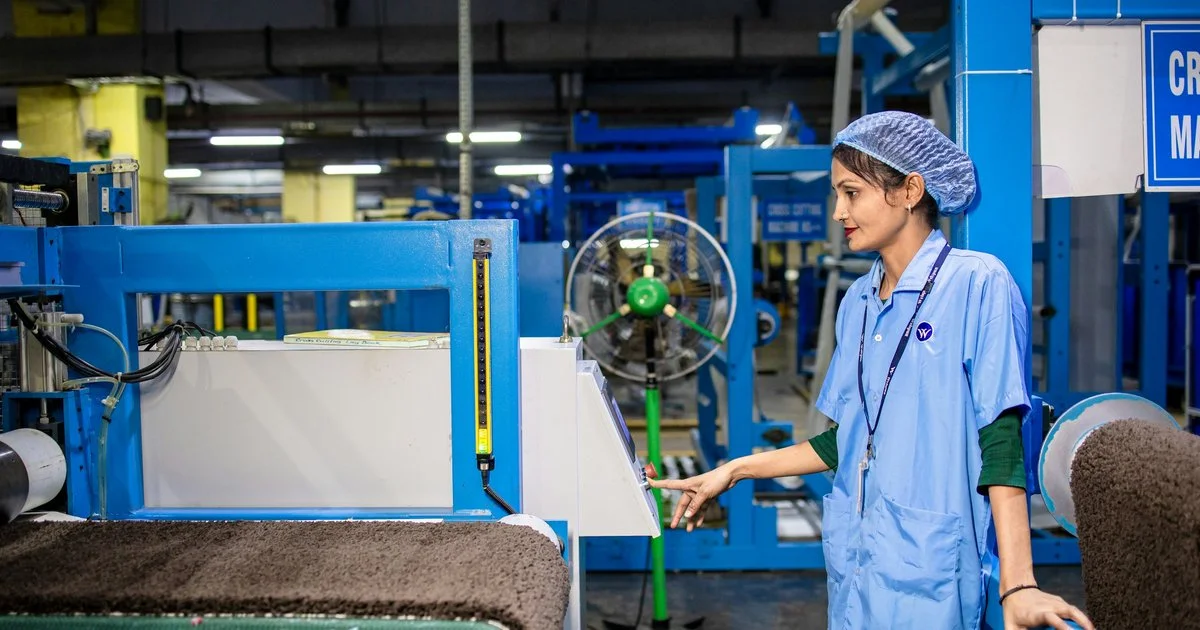
A manufacturing ERP should give production teams one reliable view of what to make, what material is available, what passed inspection and what each order really costs. Finance and IT often choose the system, so the shop floor becomes an afterthought. This article looks at a manufacturing ERP module by module, from the planner’s desk, the store, the QC bench and the production manager’s office. It sets out what each team actually needs and how to test it before you commit. The examples come from digital solutions for manufacturers that Upturnist has delivered.
Key Takeaways
- A manufacturing ERP succeeds on the shop floor when planning, inventory, quality and costing share the same live data.
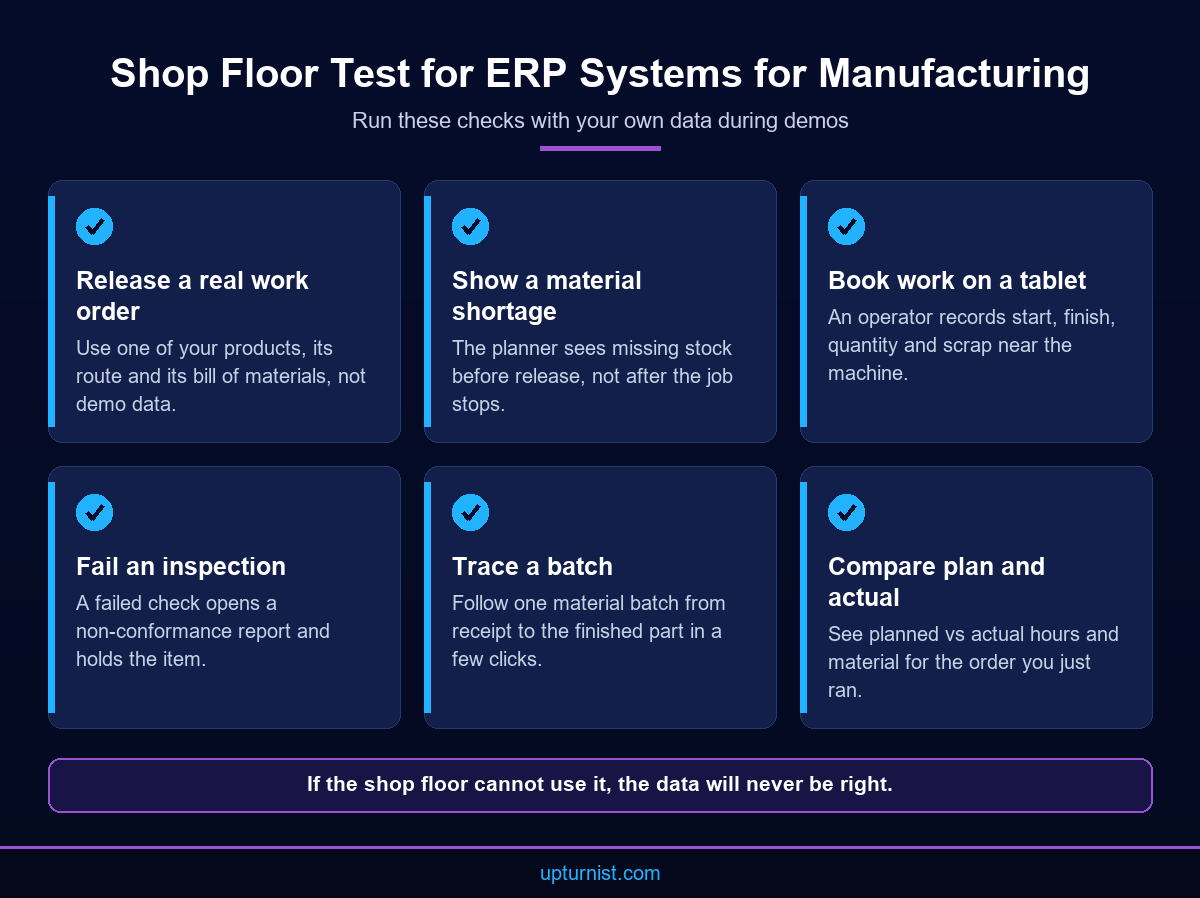
- Test ERP systems for manufacturing with your own work orders, materials and inspection forms, not a scripted demo.
- Involving supervisors early is the simplest way to make ERP for manufacturing industry projects stick on the shop floor.
Production Planning: A Schedule the Shop Floor Can Trust
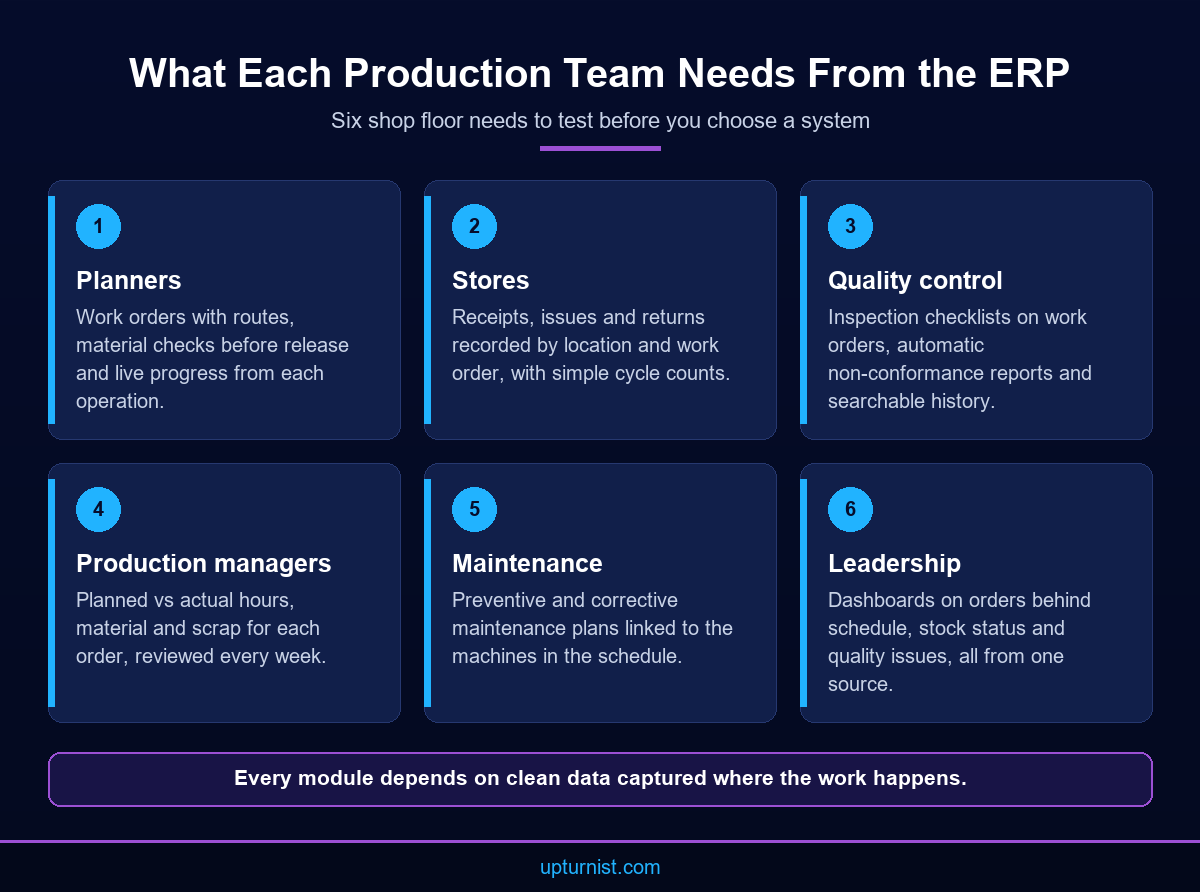
Planners need a schedule that reflects real capacity, real material and real priorities. A manufacturing ERP should turn confirmed orders into work orders, check material before release and show progress as it happens. If supervisors still keep their own whiteboard schedule, the planning module is not doing its job.
Start with the basics. Each work order needs a route: the operations, the work centres and the standard time for each step. Without routes, the system cannot load machines or people. Next comes a material check. Before a job is released, the planner should see whether steel, components and consumables are in stock or on order. This is the logic behind material requirements planning.
Then comes feedback. Operators or supervisors record start, finish and quantity at each operation, from a terminal or tablet near the machine. That live status lets planners resequence work when a machine stops or a rush order arrives. Ask any manufacturing ERP supplier to show this on a tablet, not a slide. In one steel manufacturing project, the ERP delivered real time monitoring of work orders and better production planning and execution.
Do not forget maintenance. A schedule is only realistic if it knows which machines are due for service. Planned maintenance should block time on the work centre, just like a production job. Breakdowns should be logged against the machine, so the planner sees lost capacity at once and maintenance can spot repeat failures.
Inventory and Materials: Stock You Can Find and Count
Store teams need stock records that match the racks. A manufacturing ERP should record every receipt, issue, transfer and return the moment it happens, by location. When the system and the store agree, planners trust the material check and buyers stop placing panic orders for items already on the shelf.
Shop floor requirements here are practical. Each item needs a clear code, unit and location. Issues should be made against a work order, so consumption is visible per job. Partial issues and returns of unused material must be easy, or people will skip them. Cycle counts should be simple to schedule and record, with differences approved by a supervisor.
Traceability matters too. For certified materials, the batch or heat number should follow the item from receipt to the finished part. This is where many manufacturing ERP rollouts win or lose shop floor trust. The steel producer’s ERP project shows why. Inventory records there were often inconsistent with physical stock, which caused shortages and planning issues. After go live, the company reported reduced inventory mismatches and improved material planning and availability.
Quality Control: Inspections Recorded Where Work Happens
QC teams need inspections that live inside the production flow, not in a separate folder. Good ERP systems for manufacturing attach inspection plans to work orders, record results on a tablet and hold failed items until someone decides what to do. That keeps quality data linked to the job, the material and the operator.
Ask for three things. First, inspection checklists by product or operation, with pass and fail criteria and photo capture. Second, non-conformance reports that open automatically on a failed check and route to the right person. Third, inspection history that anyone can search by job, part or batch. Corrective actions should close the loop, with an owner, a due date and a check that the fix worked. Repeat defects then become visible by product, machine or supplier. A manufacturing ERP that treats QC as an add on leaves gaps between what was made and what was checked.
Paper QC reports slow everything down. At the UAE company in our digital QC case study, QC reports were prepared manually, which made traceability and reporting difficult. Digitised inspections gave the team electronic QC reports and a complete inspection history. If you follow a quality standard such as ISO 9001, digital records also make internal audits easier to prepare.
Costing and Reporting: Numbers Production Can Act On
Production managers need cost and performance figures they can act on this week. A manufacturing ERP should compare planned and actual material, hours and scrap for each order, and roll them into simple dashboards. Finance needs the same data at month end, but the shop floor needs it first.
Keep production reports few and focused. A daily view of orders behind schedule. A weekly view of planned versus actual hours by work centre. A material usage report showing scrap and rework by job. Each report should lead to an action, such as moving labour, fixing a drawing issue or retraining a crew. Agree who reads each report, when, and what decision it supports. A report nobody owns soon becomes a report nobody opens.
Costing depends on the other modules. If material issues, labour bookings and inspection results are captured properly, cost per order follows almost automatically. If they are not, no dashboard can fix it. This is why a manufacturing ERP project should never start with reports. Upturnist’s digital transformation services include business intelligence dashboards built on clean operational data like this.
How to Gather Manufacturing ERP Requirements From Production Teams
The people who run production know where today’s process breaks. Gathering manufacturing ERP requirements from them, not just from managers, produces a system that matches real work. A few structured sessions on the shop floor usually reveal more than a long requirements document written in an office.
Walk one real order from enquiry to dispatch with the planner, storekeeper, supervisor and inspector. Note every form, spreadsheet and phone call along the way. Mark the steps that cause delay or rework. Then write each pain point as a test, such as “a supervisor can see tomorrow’s material shortages on one screen”.
Prioritise firmly. Must have items cover planning, inventory, QC and basic costing. Nice to have items can follow in a later phase. During demos, ask suppliers to run your test scenarios with your own data. EasyFab ERP, which Upturnist implements, is one option for fabrication and industrial manufacturers, but your test scenarios should drive the final choice.
Plan for training from the start. Supervisors and storekeepers need short, role based sessions on the screens they will use every day. Pick one champion per area who can answer questions on the floor during the first weeks. Then review adoption after go live. Check whether bookings arrive on time and whether paper forms have truly stopped.
Conclusion
A manufacturing ERP works when the people who make the product trust it. Planners need a realistic schedule. Stores need stock records that match the racks. QC needs inspections tied to work orders, and managers need cost figures in time to act. Start from your own processes, write requirements as tests, and prove each module with your own data before go live. Upturnist is a business transformation consultancy that puts business first, process second and technology third. To build a production operation that is ready to scale, speak with our manufacturing consultants.
Frequently Asked Questions
What is a manufacturing ERP?
It is a business system that connects sales, planning, purchasing, inventory, production, quality and finance for a manufacturer. Every team works from the same live data, so orders, materials and costs stay consistent from enquiry to dispatch.
Which ERP modules matter most to production teams?
Production planning, inventory, quality control and costing matter most on the shop floor. Planning releases work, inventory confirms material, QC records inspections and costing shows whether each order made money. A weak module hurts all the others.
How do ERP systems capture shop floor data?
Most capture start, finish, quantity and scrap at each operation through terminals, tablets or barcode scanners near the work. Supervisors approve the bookings, and planners see live progress without walking the floor or chasing updates by phone.
Should quality control sit inside the ERP or in a separate system?
Keeping QC inside the ERP links each inspection to its work order, material batch and operator. A separate system can work if it integrates well, but double entry and broken traceability are common risks with standalone tools.
How do we involve production staff in ERP selection?
Invite planners, storekeepers, supervisors and inspectors to requirement sessions and demos. Ask them to walk real orders through the proposed system. Their feedback exposes gaps early, and their involvement makes adoption far easier at go live.
What data should we clean before moving to a new ERP?
Clean item codes, units of measure, bills of materials, routes, work centres and opening stock balances first. Errors in this master data flow into every work order, so time spent here saves far more time after go live.
Can an ERP hold our work instructions and procedures?
An ERP can attach drawings and instructions to work orders, but the procedures themselves need clear ownership and control. Upturnist’s SOP development service helps manufacturers document how work is done before it is built into systems.
When does a small manufacturer need a manufacturing ERP?
Not always on day one. If spreadsheets still give reliable stock, schedules and costs, they may be enough. Once orders, staff or sites grow and data starts to conflict, an integrated system usually repays the effort.
Is cloud or on premise better for a factory ERP?
Both can work. Cloud suits teams that need access from several sites and want less server upkeep. On premise suits plants with strict data or connectivity needs. The ERP projects in our case studies supported both deployment options.