
Business process mapping is the practice of drawing how work really moves through your company: who does each step, in what order, and with which forms and systems. Done before any change, business process mapping shows where time, money and control leak away, so you fix the right problems first.
At Upturnist, mapping is the first working stage of every transformation project. This guide walks through a practical three pass method. You map the as-is process, find the pain points, then design the to-be process. It is written for UAE owners and managers who want to improve the way they operate without guessing.
Key Takeaways
- Start business process mapping with the process as it really runs today, and with the people who do the work.
- Waiting, rework and duplicate data entry are far easier to fix once everyone can see them on one page.
- A to-be map only creates value when it has an owner, a written procedure and the right system behind it.
Why Business Process Mapping Comes Before Change
Most failed changes start with a solution, not a problem. A team buys software or rewrites a procedure before anyone agrees how the work runs today. Business process mapping reverses that order. It gives leaders, managers and staff one shared picture of the current process, so every later decision rests on facts rather than opinions.
This matters most in growing UAE businesses. As teams expand across sites in Dubai, Abu Dhabi or Sharjah, each branch tends to develop its own habits. Approvals happen by phone in one place and by email in another. Nobody is wrong, but nobody is working the same way.
A good map also changes the conversation. Instead of debating whose department is slow, people point to a step on the page and ask why it exists. That is why mapping sits at the start of the Understand and Define stages in our approach. The order is always business first, process second, technology third.
If you are unsure where to begin, speak with our consultants about which process deserves a map first. Usually it is the one that touches customers or cash. Order to invoice and purchase to payment are common first choices.
Step 1: Capture the As-Is Process
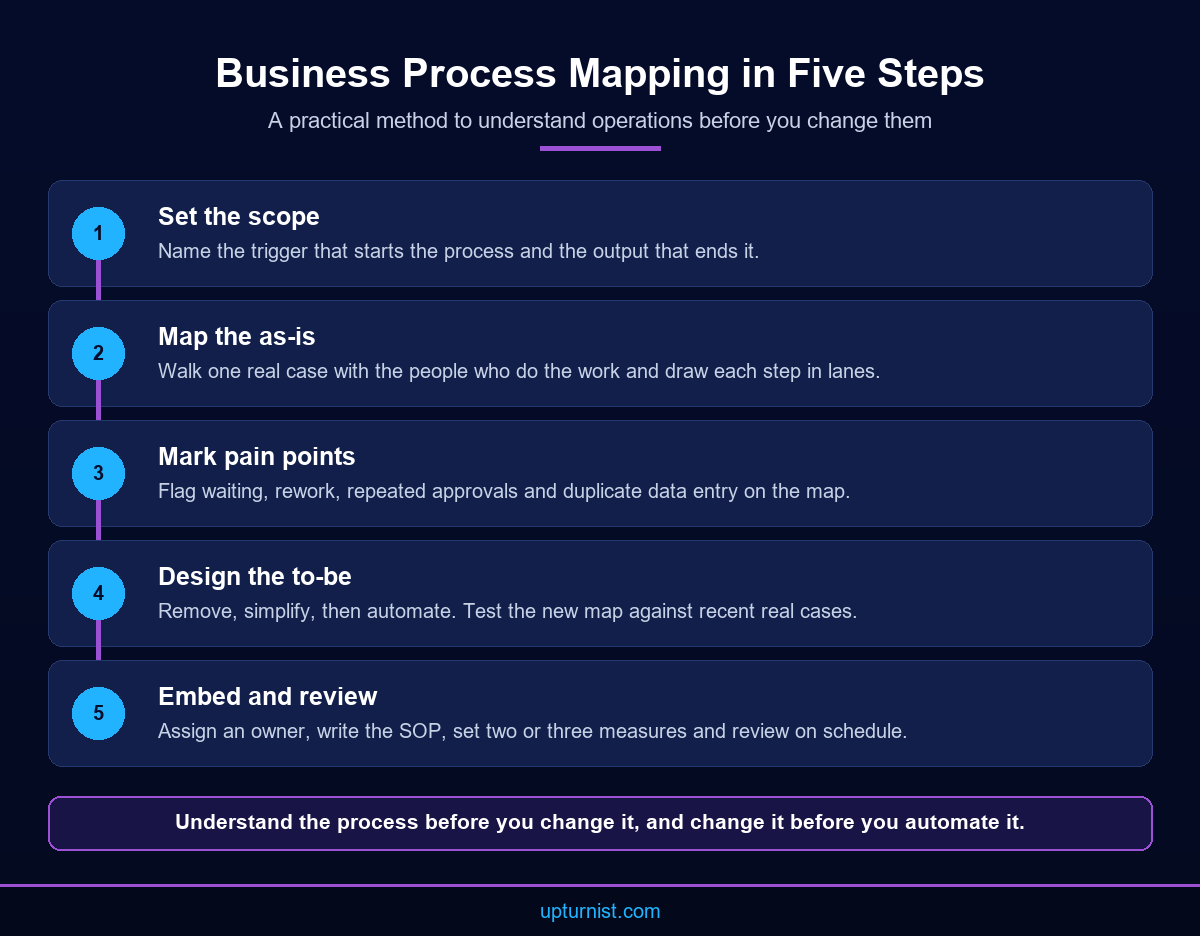
In business process mapping, the as-is map records how a process actually runs today, including the workarounds, not how the policy says it should run. Start with a clear scope, a named process owner and the people who do the work. Then walk the process step by step and draw it in a simple format that everyone in the room can read.
- Set the scope. Name the trigger that starts the process and the output that ends it. “Customer order received” to “invoice paid” is a clear scope. “Sales” is not.
- Pick the right people. Invite the staff who do each step, not only their managers. Managers describe the process on paper. Staff describe it in practice.
- Walk one real case. Follow one recent order, request or job from start to finish. Note every handoff, approval, form, spreadsheet and system it touches.
- Draw it in lanes. Give each role or department its own lane, so the handoffs between teams stand out.
- Record simple facts. For each step, note who does it, roughly how long it takes and how often it goes wrong.
Lanes deserve a closer look. A swimlane diagram groups each step by the person or team responsible. In a process that crosses departments, that layout shows who owns each step and where delays or mistakes are most likely. That is exactly what business process mapping needs to reveal.
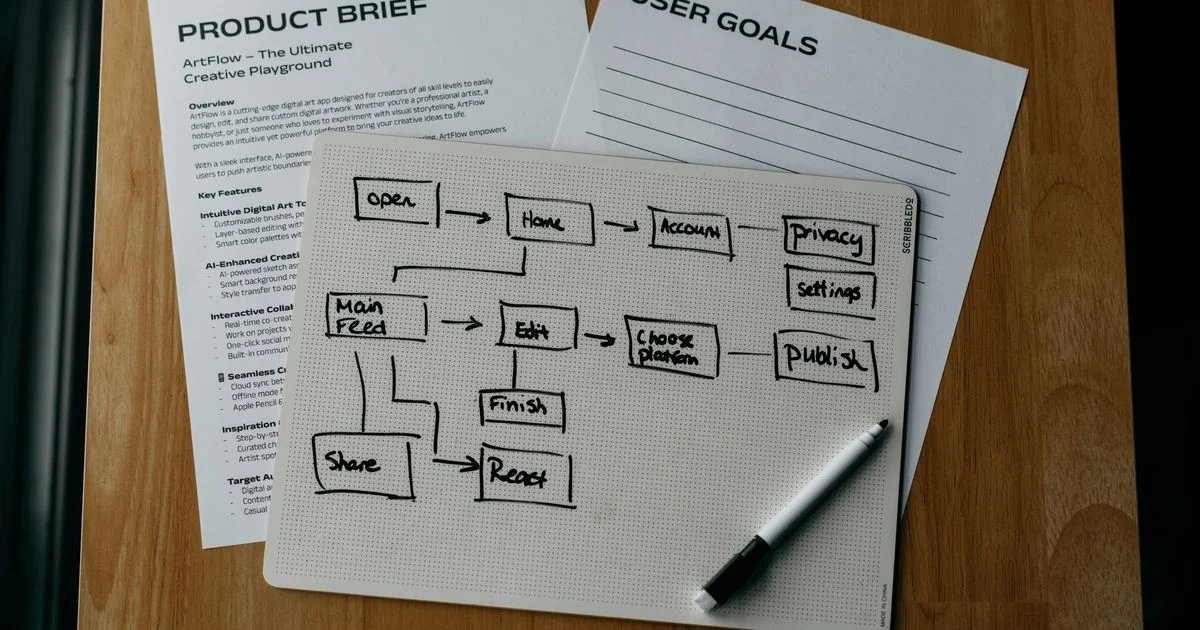
Keep the first draft rough. Sticky notes on a wall or a whiteboard photo are enough. The aim is agreement on what happens today, not a polished diagram. Check the draft with the team that runs the process, then correct anything they say is wrong.
Step 2: Find the Pain Points
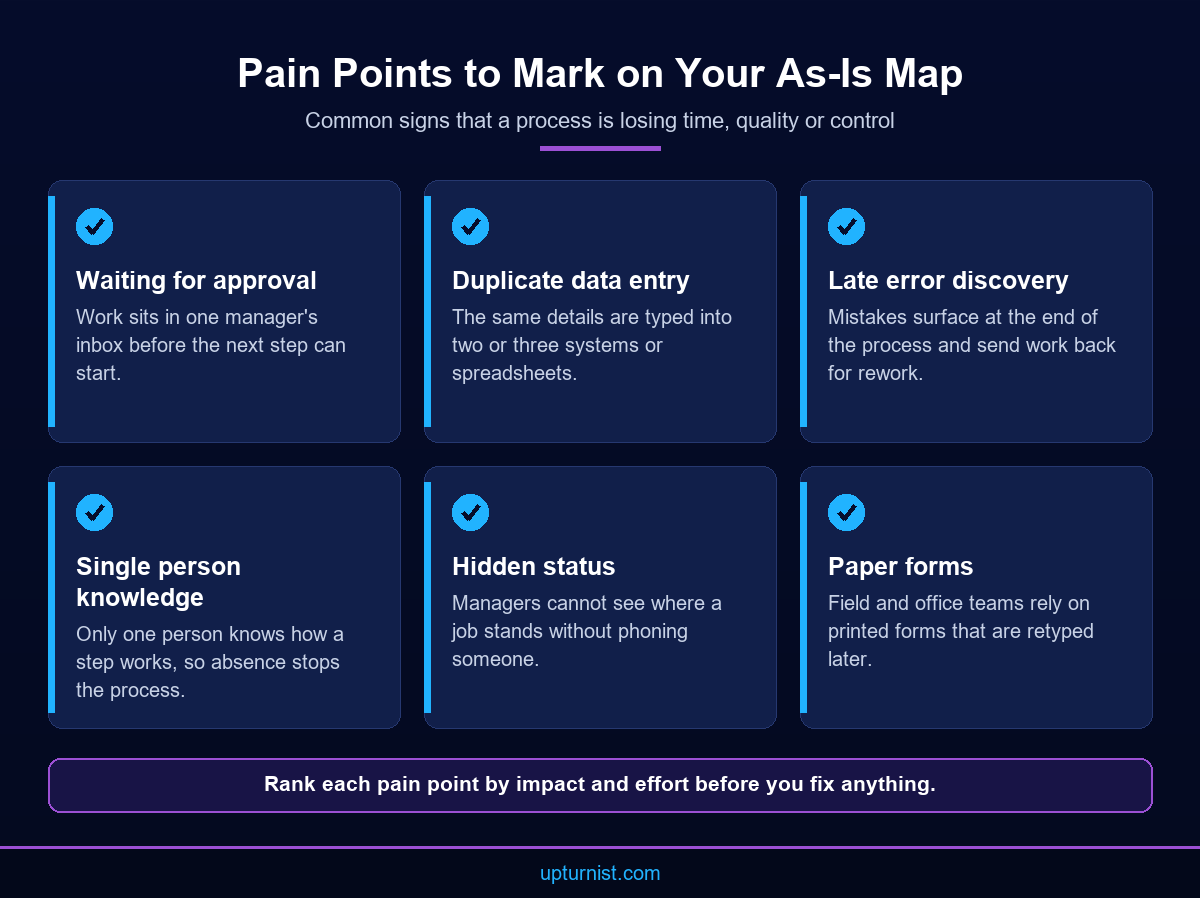
With the as-is map agreed, the next stage of business process mapping is to look for the places where the process loses time, quality or control. Mark each problem directly on the map. Typical pain points are waiting between steps, repeated approvals, rework, manual data entry and knowledge held by one person. Rank them by impact before anyone tries to fix them.
Ask the same questions at every step. Why does this step exist? Why does this person do it? Why here, why now, and why this way? The classic process mapping method works through each step with these what, who, where, when and how questions.
Watch for these common signs:
- Work waits in an inbox for approval, often from one busy manager.
- The same data is typed into two or three systems or spreadsheets.
- Errors surface late, so work goes back for rework.
- Only one person knows how a step works, so a holiday stops the process.
- Managers cannot see the status of a job without phoning someone.
Then rank the problems. A simple score for impact and effort is enough. Fix high impact, low effort issues first to build momentum, and plan the larger redesign alongside them. Many teams bring in process improvement consulting at this point, because an outside view separates real causes from symptoms.
Pain points should also connect to business goals. Business process mapping is only useful if the fixes move a number that leadership cares about, such as cash collected, orders delivered on time or hours saved. If you would like help ranking what you found, talk through your process map with us.
Step 3: Design the To-Be Process
The to-be map shows how the process should run once the main pain points are fixed. Remove steps that add no value, combine handoffs and decide where automation genuinely helps. Design the new process with the people who will run it, and test it on paper before you change any system, form or written procedure.
Good to-be design follows a simple order. First remove, then simplify, then automate. Removing an unnecessary approval costs nothing. Automating a broken approval only makes the mistake happen faster.
Notation helps once the process is agreed. BPMN is a standard from the Object Management Group with a flowchart style that business users can read. It is also precise enough to support later system design. You rarely need every symbol, because events, tasks, decisions and lanes cover most business process mapping work.
Next, use the business process mapping output to mark which steps should be automated. Approvals, notifications, digital forms and status updates are usual candidates for business process automation. Field work benefits most, because paper forms slow every step that follows.
Finally, test the design against real cases. Good process improvement consulting always includes this step. Run three or four recent orders or jobs through the new map. If a case does not fit, adjust the map before anyone writes code or buys software.
From Map to Daily Work: Owners, SOPs and Systems
A map on a wall changes nothing by itself. To make the to-be process stick, give it a named owner and turn it into a written procedure. Train the people who run it and set the measures that show whether it works. Then review the map on a schedule, because processes drift as the business grows.
Each process captured through business process mapping becomes the backbone of a procedure. Our guide on how to write SOPs that people actually follow shows how to turn a map into clear steps, roles and records.
Measures close the loop. Pick two or three simple indicators for each process, such as cycle time, error rate or the number of items waiting. Review them monthly with the process owner. When the numbers slip, return to the map and ask what changed.
Technology comes last, and the map makes it easier. When you select an ERP or workflow tool, the to-be map becomes your requirements list. Business process automation then supports a process your team already understands, which makes adoption smoother.
For larger programmes, the same maps feed a wider plan, and process improvement consulting becomes one part of a broader change. Our business transformation services start from this kind of assessment, then move on to process redesign, structure and performance measures.
Conclusion
Business process mapping turns opinions about how work happens into a shared, visible fact base. Map the as-is process with the people who do the work. Mark and rank the pain points, then design a simpler to-be process before you touch any system. Give each process an owner, a written procedure and a few clear measures. At Upturnist, mapping is how every engagement begins, because it keeps change business first and implementation focused. It also makes the next stage, whether new SOPs or new software, far easier to plan. When you are ready to map your own operations, book a short conversation with our consultants.
Frequently Asked Questions
What is business process mapping?
It is the practice of drawing how a process runs from start to finish. The map shows each step, who performs it, the order of work and the documents or systems involved, so a team can see problems before changing anything.
What is the difference between an as-is and a to-be map?
The as-is map shows how the process runs today, including workarounds and delays. The to-be map shows how it should run after improvements. Comparing the two makes the required changes clear for owners, staff and any system design.
Which process should we map first?
Start with a process that touches customers or cash and causes visible frustration. Order to invoice, purchase to payment and service requests are common first choices. A narrow scope with a clear start and end gives the quickest useful result.
Who should take part in a mapping workshop?
Invite the process owner and the people who actually do each step, from every department involved. Managers explain the intended process. Staff explain what really happens. A neutral facilitator keeps the session focused on facts rather than blame.
Do we need special software to map processes?
No. Sticky notes, a whiteboard and a phone camera are enough for a first draft. A diagram tool that supports standard notation helps once the map is agreed and needs to be shared, versioned or used for system design.
How detailed should a process map be?
Detailed enough to show every handoff, decision and approval, but not every mouse click. If a step hides a problem, break it down further. If a level of detail adds nothing to the decision you need, leave it out.
How does process mapping relate to SOPs?
The map shows the flow of work and who owns each step. The SOP then explains how to perform the steps in plain language. Teams usually map first, agree the to-be process, and then write or update the procedures.
How long does a mapping exercise take?
It depends on the scope and how many teams are involved. A single focused process can often be mapped in a few workshops. Upturnist usually agrees the scope, people and timeline before the first session begins.
Is business process automation part of process mapping?
Not directly. Mapping comes first and shows which steps are worth automating and which should simply be removed. Automation then supports the agreed process. Our digital transformation services cover the workflow automation and system integration that usually follow.